

Version Number:
All-New Mobile UI
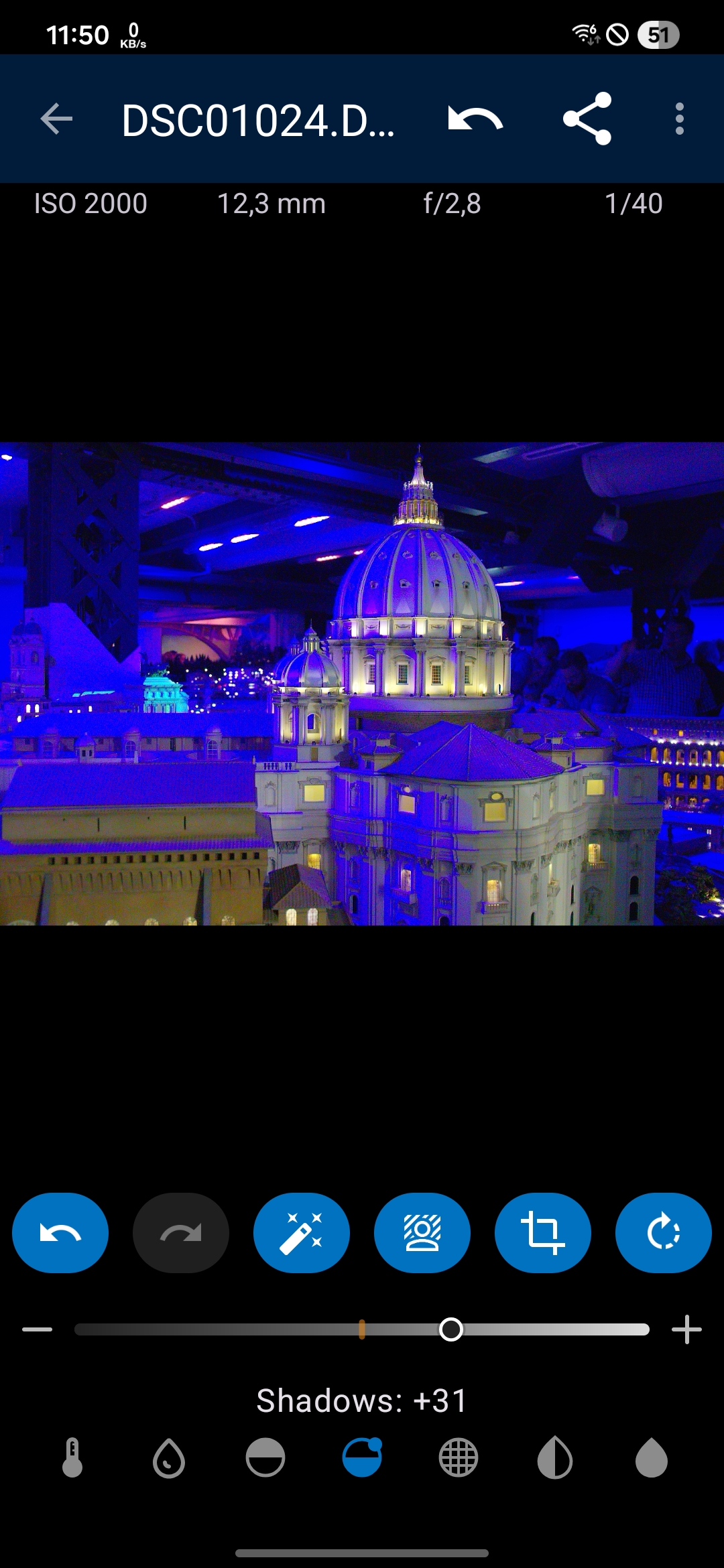
When editing on mobile, you can now use a simpler, faster, and easier to use editor with key options.
You've more room for the image itself.
Of course, you can always switch between mobile and full layout and the non-destructive edits keep in sync between both modes.
Also, the cropping and curves layout was improved for mobile as well.
All-New Denoising
A new denoising in ultra mode leverages GPU-Compute of modern android devices to provide cleaner image results, especially when denoising images with a high amount of Luma and/or Chroma noise, keeping more details and colors.
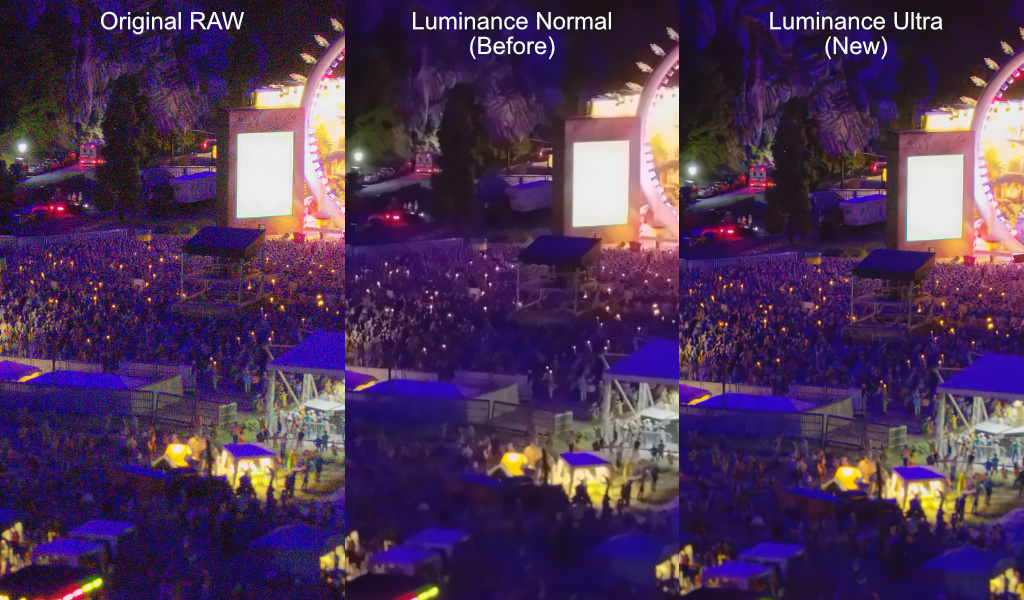
For technical specialists, here are the compute costs of this algorithm for a 20MP image file:
| Pass | FLOP |
|---|---|
| Luma | 5.84 TFLOP |
| Chroma | 1.34 TFLOP |
| Total Compute | ~7.2 TFLOP |
Device library
Alternatively to using the folder-based browsing, Photo Mate can now also access the device image library and sort/filter by supported filters. This might be especially helpful on smartphones where all captured images are already included there.
QoL Improvements
- Common editing-algorithms now prefer to use the GPU for faster throughput and previews, reducing CPU overhead
- Swipe left/right in Develop can now directly switch the images
- Small Improvements to several layout & UI components